Collector Mini
Description
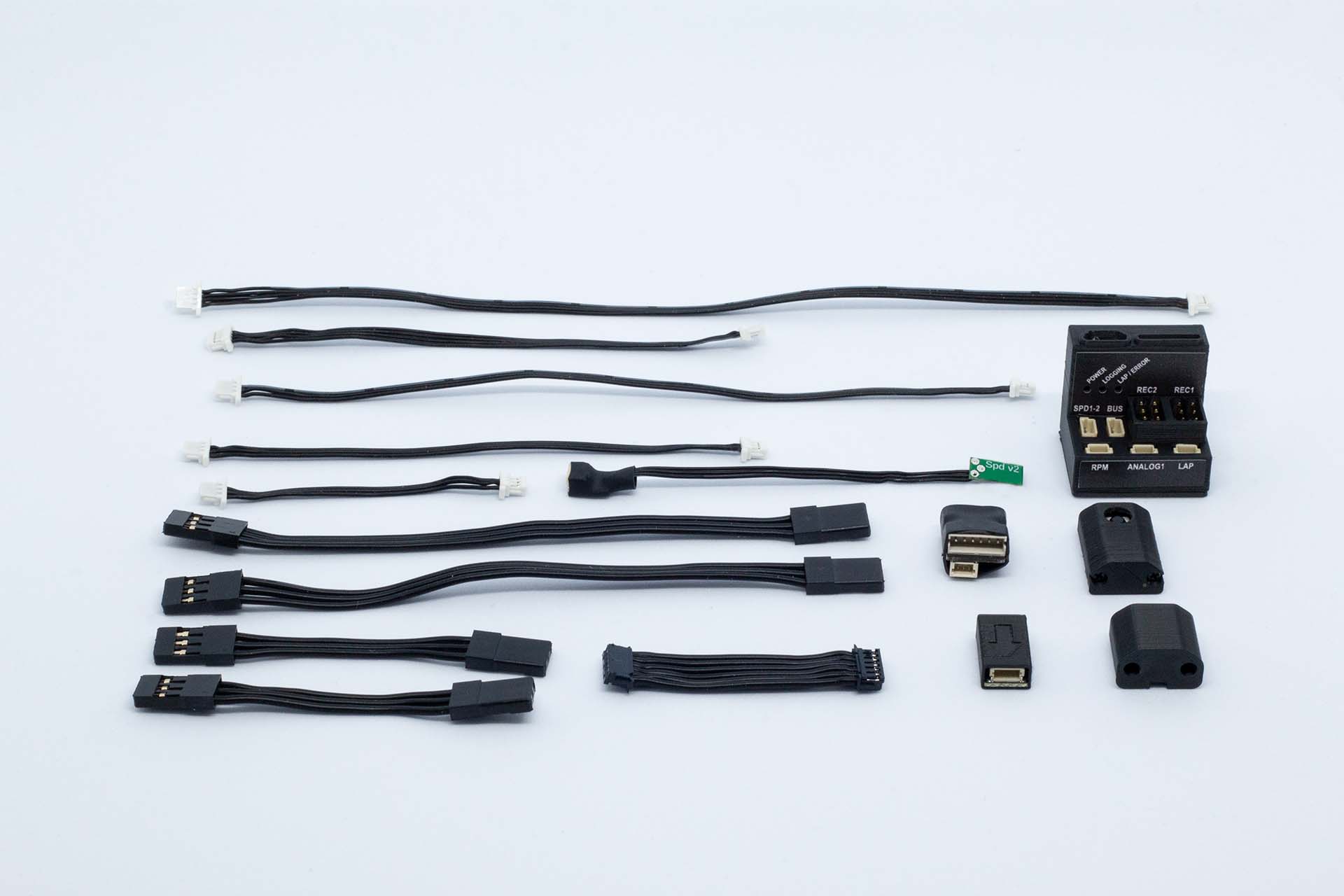
TestLogger Collector Mini is basic level data-logging unit designed for RC-cars. The device inputs ports are focused on analysing driver behaviour, but modular platform will allow changing the inputs to get data from chassis as well.
Get started
See Installation instructions for further details.
Device information
Ports
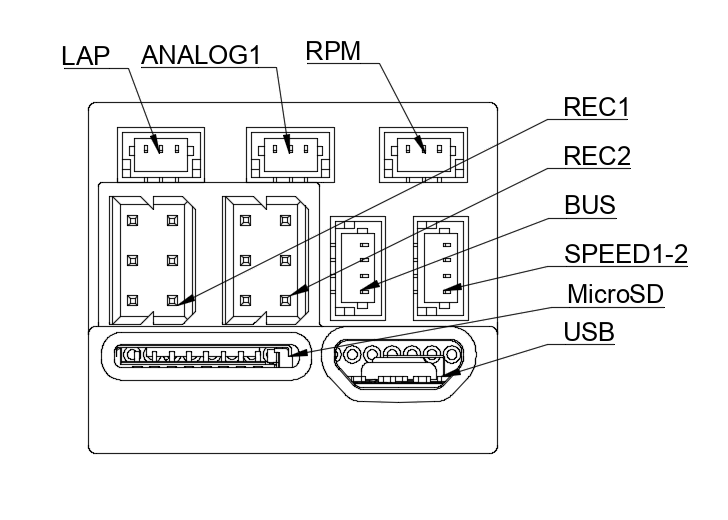
Ports available in Collector Mini are listed below and port locations are shown in the image below
| Port | Description | Port pins |
|---|---|---|
| USB | USB port is used for configuring the device as well as transfering the logged data. USB port can be used to power the main unit during configuration and data transfer. | |
| MicroSD | MicroSD cards needs to be always inserted into this slot when using the device. Device doesn't have any internal memory, so memory card is essential for operation. | |
| REC1 | First channel from the car receiver. By default this is used for steering signal. Port is pass through type, so use 6cm or 12cm receiver cable to connect main unit to the receiver and then servo to the main unit. | |
| REC2 | First channel from the car receiver. By default this is used for throttle/brake signal. Port is pass through type, so use 6cm or 12cm receiver cable to connect main unit to the receiver and then servo to the main unit. | |
| ANALOG1 | Generic analog input. By default is configured for temperature sensor. | |
| LAP | PWM input used to recogise lap and split signals from the beacons. | Screenshot+2021-10-18+at+23.34.20.jpeg |
| RPM | PWM input used for RPM measurement. In electric cars it is recommend to use the sensor breakout module and for nitro cars it's mandatory to use the RPM sensor included in the package. | |
| SPD1-2 | PWM input and designed for wheel speed sensors. One port has two inputs, so speed can be measured from both sides of differential. | |
| BUS | Used for connecting I2C bus devices. For example IMU is connected to this port |
LED operation
LEDs indicate different modes and errors. This are presented in the table below.
| Action | Blue | White | Red |
|---|---|---|---|
| Device off | Off | Off | Off |
| Waiting SD card or init ongoing | Blink | Off | Off |
| Device ready | On | Off | Off |
| Logging | On | Fast blink (75ms) | Off |
| Setup mode | On | Slow blink (1000ms) | Off |
| Write error (SD card lost or corrupted) | On | On | On |
| Beacon active | On | Any | On |
| Init error | Blink | On |